
Download Animoto – Online Video Maker, Free & Secure Tool for Photo Slideshows
Overview
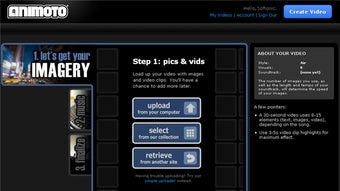
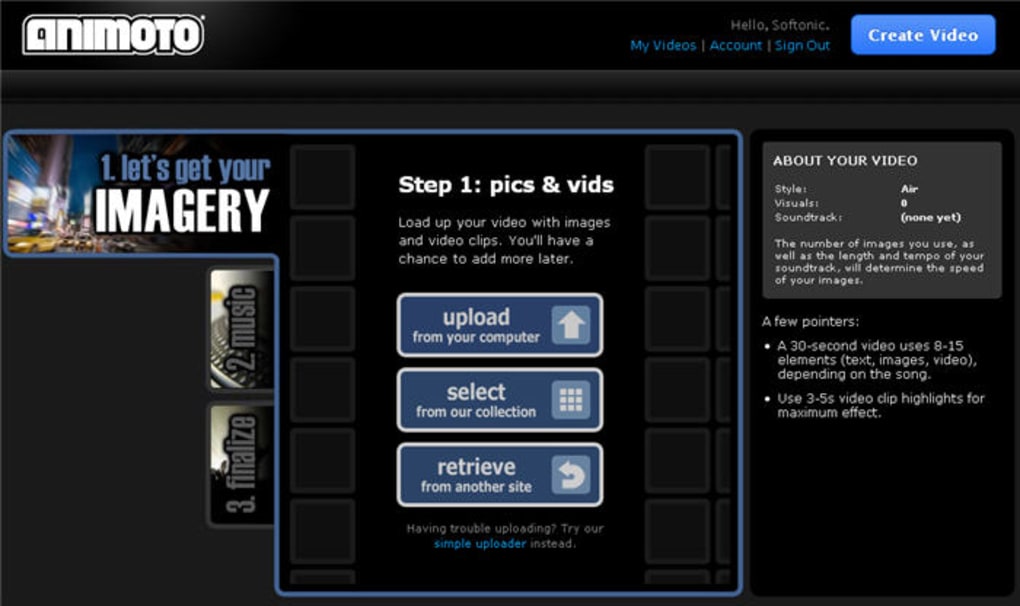
Animoto is a cloud‑based video creation platform that lets anyone turn photos, video clips, and music into polished video presentations in minutes. The service is built around a three‑step workflow: choose a video style, upload or import your media, and add a soundtrack. Once the assets are in place, Animoto automatically applies professional‑grade transitions, text overlays, and timing, producing a video that feels like it was edited by a seasoned designer.
Because the entire process runs in a web browser, there’s no need to install heavyweight desktop software, making it ideal for both casual users who want a quick family slideshow and small businesses looking for a cost‑effective way to create marketing videos. Animoto supports direct imports from popular cloud services such as Flickr, Facebook, and Google Photos, and it also offers a library of royalty‑free music tracks to keep your video’s audio legal and engaging. While the free tier limits you to a handful of styles and 30‑second clips, the paid plans unlock full‑length videos, premium templates, brand customization, and higher resolution output.
Overall, Animoto delivers a secure, easy‑to‑use environment that balances simplicity with enough creative control to satisfy most video‑making needs.
Key Features
- Three‑Step Creation Process: Choose a style, upload media, add music – the platform does the rest.
- Extensive Template Library: Over 50 professionally designed video styles ranging from “Travel” to “Business Presentation.”
- Cloud Media Integration: Import photos and videos directly from Flickr, Facebook, Google Photos, and Dropbox.
- Royalty‑Free Music Catalog: Hundreds of tracks organized by genre, mood, and tempo for instant soundtrack selection.
- Automatic Text & Transition Engine: Smart timing and animated text overlays that adapt to the length of your clips.
- Branding Options (Pro & Business Plans): Add logos, custom colors, and fonts to keep videos on‑brand.
- Export Flexibility: Download MP4 files, share directly to YouTube, Facebook, Instagram, or embed on a website.
- High‑Resolution Output: Up to 1080p HD for premium accounts, ensuring crisp visual quality.
- Secure Cloud Storage: Projects are saved in an encrypted environment with automatic backups.
- Analytics (Business Tier): Track views, engagement, and conversion metrics for marketing videos.
Beyond the checklist, Animoto’s UI is intentionally minimalistic. The drag‑and‑drop canvas lets you rearrange clips with a single click, while the preview window updates in real time, so you never have to guess how the final product will look. For users who need a little extra polish, the “Storyboard” view offers a timeline where you can fine‑tune clip duration, adjust transition speed, and sync beats to music. The platform also supports custom dimensions, which is handy when creating videos for specific social media ad placements. All of these features combine to make Animoto a versatile tool that scales from personal projects to professional marketing campaigns.
Installation & Compatibility
Getting Started – No Download Required
Because Animoto is a web‑based application, you don’t install anything on your computer. Simply visit animoto.com, click “Sign Up,” and you’ll be guided through a short onboarding wizard. The wizard helps you pick a plan (Free, Professional, or Business) and explains the three‑step workflow. After registration, you can start a new project immediately from the dashboard.
Supported Browsers & Operating Systems
Animoto works on all modern browsers, including Chrome, Firefox, Safari, and Edge, on Windows 10/11, macOS Catalina and later, as well as Linux distributions that support these browsers. The platform also offers a lightweight mobile app for iOS 14+ and Android 8+, enabling you to edit videos on‑the‑go. All features, except for the most advanced branding tools, are available on both desktop and mobile, ensuring a consistent experience across devices.
Step‑by‑Step Usage Guide
- Choose a Video Style: From the dashboard, click “Create” and select a template. Styles dictate the visual theme, transition effects, and default text placements.
- Upload or Import Media: Drag files from your computer, or click “Import” to pull images and clips from Flickr, Facebook, Google Photos, or your device’s gallery.
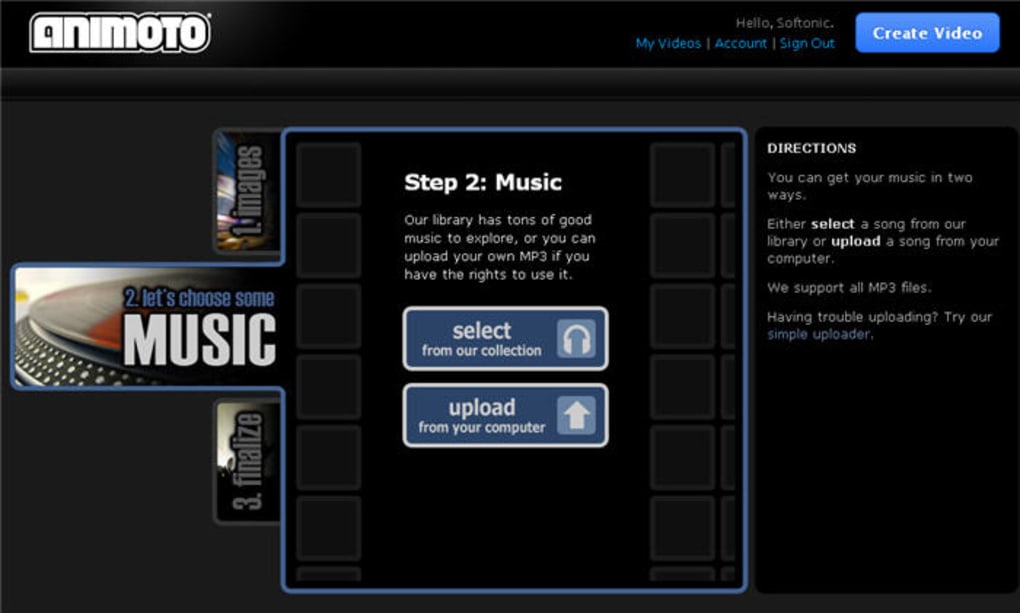
- Add Music: Browse Animoto’s royalty‑free library, or upload your own MP3 file. Use the built‑in beat‑matching tool to align cuts with the music’s rhythm.
- Customize Text & Branding: Edit titles, captions, and call‑to‑action buttons. Premium users can upload logos and apply custom color palettes.
- Preview & Export: Click “Preview” to watch the video in real time. When satisfied, hit “Export” to download an MP4 file, share directly to social platforms, or embed via a provided HTML snippet.
For teams, Animoto offers collaborative folders where multiple users can contribute media and comment on drafts. The platform also integrates with Zapier, allowing you to automate workflows such as publishing a new video to a WordPress blog as soon as it’s rendered. Security is handled through HTTPS encryption, and paid plans benefit from two‑factor authentication to protect your projects.
Pros, Cons & Frequently Asked Questions
Pros
- Intuitive three‑step workflow eliminates the learning curve.
- Rich library of templates and royalty‑free music keeps videos fresh.
- Cloud‑based, so no heavy software installation required.
- Cross‑platform compatibility – works on Windows, macOS, iOS, Android.
- Branding and analytics features for professional users.
- Secure storage with automatic backups and optional 2FA.
Cons
- Free tier restricts video length to 30 seconds and offers limited styles.
- Advanced customization (custom fonts, detailed timeline editing) is only in higher‑price plans.
- Export options are primarily MP4; no native GIF or MOV outputs.
- Reliance on internet connection – offline editing isn’t possible.
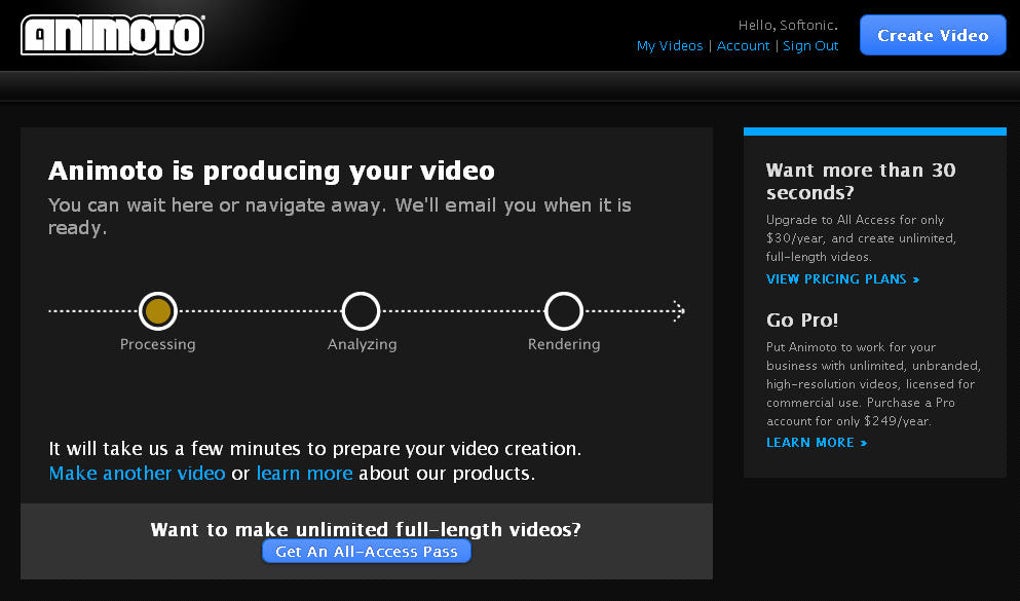
- Some users report occasional rendering delays on large projects.
FAQ
Can I use Animoto on a Mac without installing anything?
Yes. Animoto runs entirely in a web browser, so Mac users simply need Chrome, Safari, or Firefox to create and export videos.
What file formats can I export?
Export is provided as MP4 (H.264) at up to 1080p resolution. Direct uploads to YouTube, Facebook, and Instagram are also supported.
Is there a limit on the number of photos I can upload?
The free plan limits projects to 30 seconds, which typically translates to about 10‑15 photos. Paid plans have no strict photo count limit, only storage space.
Can I add my own logo and brand colors?
Yes – the Professional and Business plans let you upload a logo, set custom color palettes, and choose brand‑specific fonts.
How secure is my uploaded media?
All data is transferred over HTTPS and stored in encrypted cloud servers. Premium accounts can enable two‑factor authentication for added protection.
Overall Review
Rating: 4.5 out of 5 stars
Summary: Animoto delivers a fast, secure, and visually impressive way to turn everyday photos and clips into share‑ready videos. While the free tier is modest, the paid plans provide enough flexibility for small businesses and content creators.
Conclusion & Call to Action
Whether you’re looking to create a memorable family slideshow, showcase a product demo, or build a series of social‑media ads, Animoto equips you with the tools to do it without a steep learning curve or expensive software licenses. The platform’s cloud‑first approach ensures you can work from any device, and the extensive template library keeps your videos feeling fresh and professional. For casual users, the free version offers a taste of what’s possible, while the Professional and Business tiers unlock full‑length HD videos, brand customization, and analytics that can drive marketing performance. If you’re ready to transform your photo collections into engaging video stories, download Animoto now and start creating in minutes.



.png)



